The Problem#
We often encounter this scenario: you’ve found a file using Finder (which is more visual and convenient for browsing), but you need to perform Terminal operations on it. When Terminal opens, it defaults to your home directory, forcing you to navigate step-by-step to reach your target folder - a tedious and time-consuming process.
The Solution: Drag and Drop#
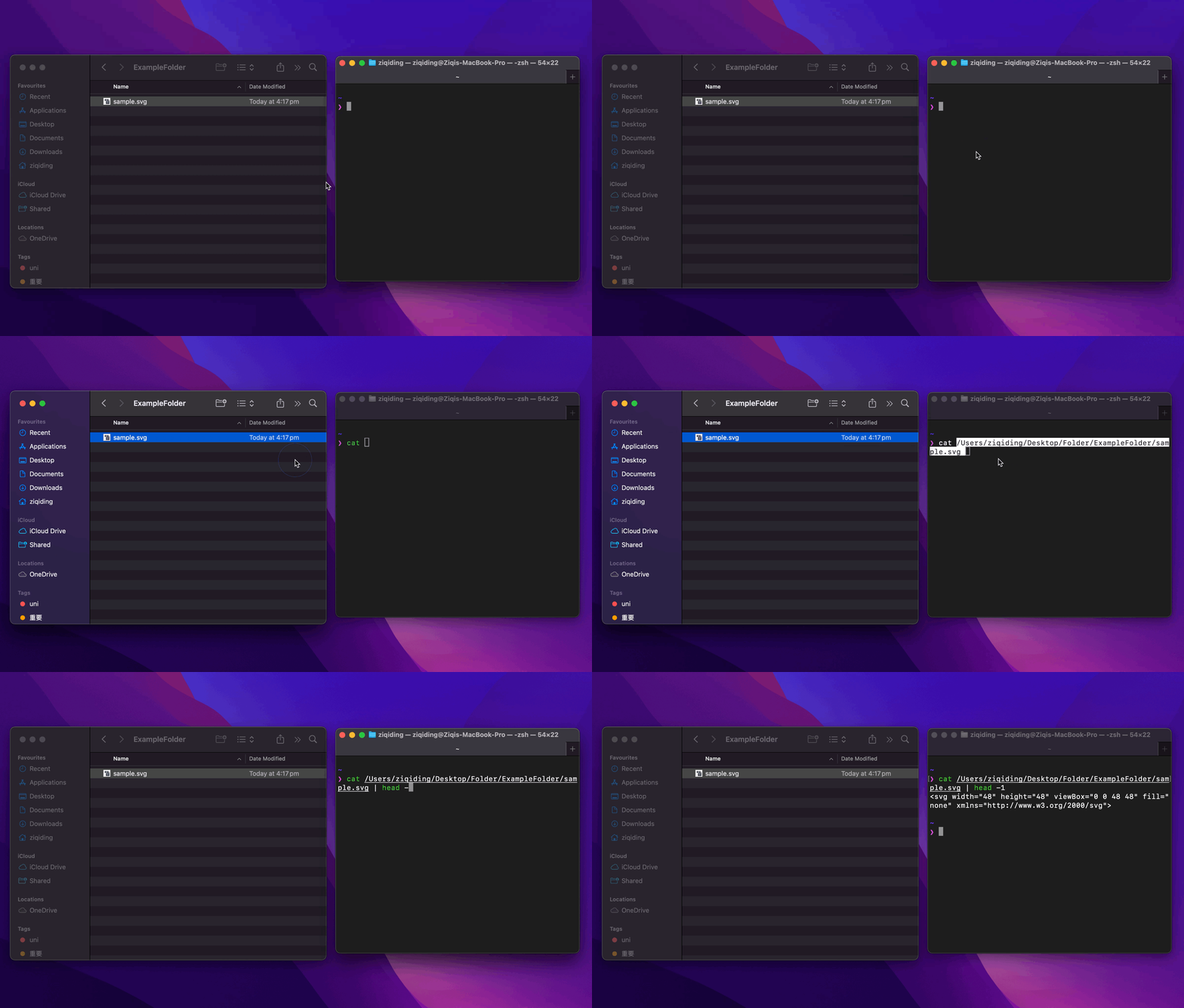
The quickest and simplest method is to drag files or folders directly from Finder into Terminal. Terminal automatically converts the dropped item into its corresponding file path.
For Files#
Simply drag any file from Finder into Terminal, and the complete path appears instantly:
For Folders#
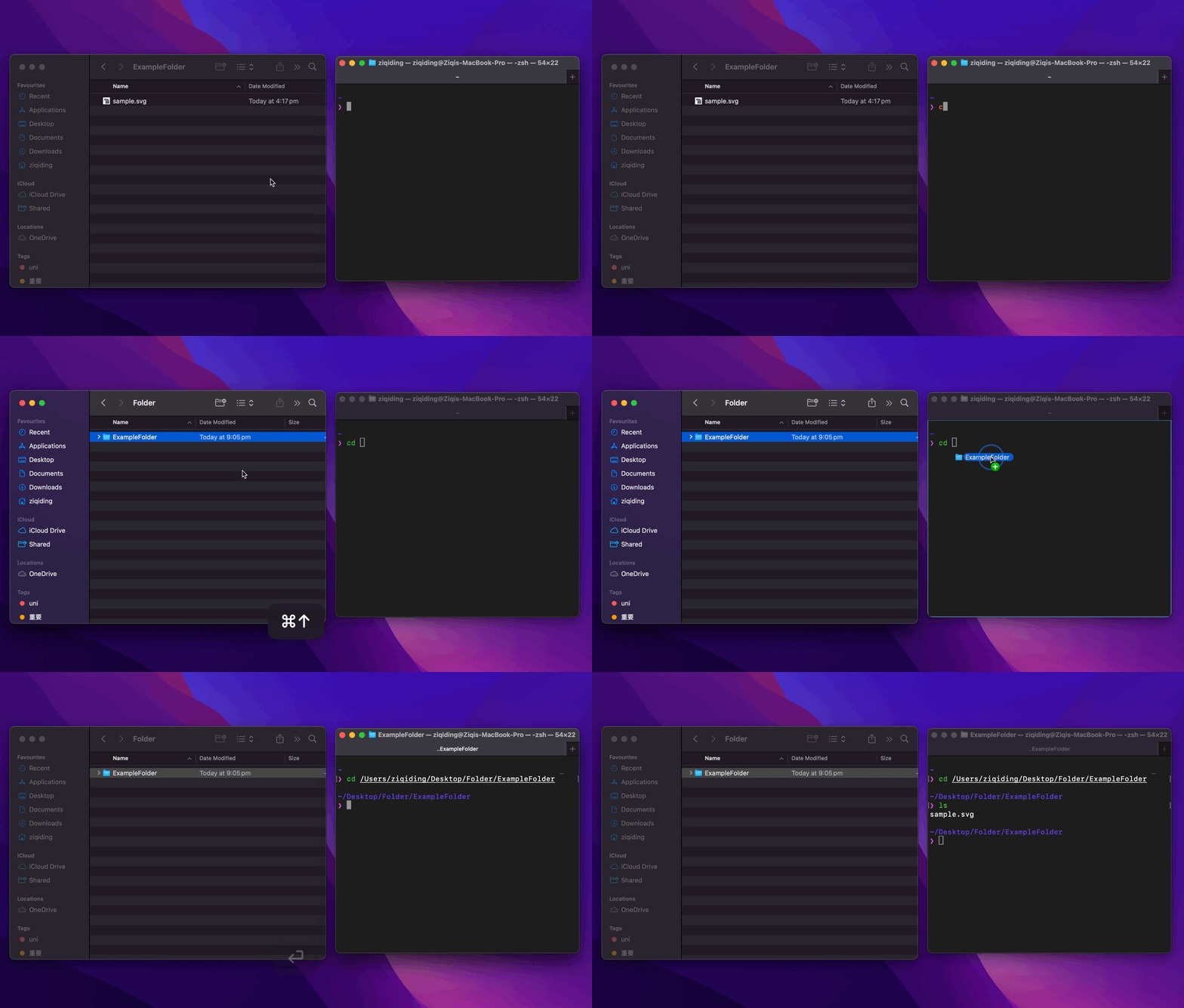
The same technique works perfectly with folders. For example, to navigate to your current Finder location in Terminal:
- Press
Command+↑in Finder to go up to the parent directory - Drag the desired folder into Terminal
- Terminal automatically generates the correct path
Pro Tips#
- Works with multiple items: You can drag multiple files/folders to get all their paths at once
- Combine with commands: Type your command first (like
cd,ls, oropen), then drag the file/folder to complete it - Spaces in paths: Terminal automatically handles spaces in file names by escaping them properly
- Works in any Terminal app: This technique works in Terminal, iTerm2, and other terminal emulators
Common Use Cases#
cd [drag folder]- Navigate to a directoryopen [drag file]- Open a file with its default applicationcode [drag folder]- Open a folder in VS Coderm [drag file]- Delete a specific file (use with caution!)
Summary#
This simple drag-and-drop technique can save you countless keystrokes and time when working between Finder and Terminal. No more typing long paths or navigating directory by directory!