The Problem#
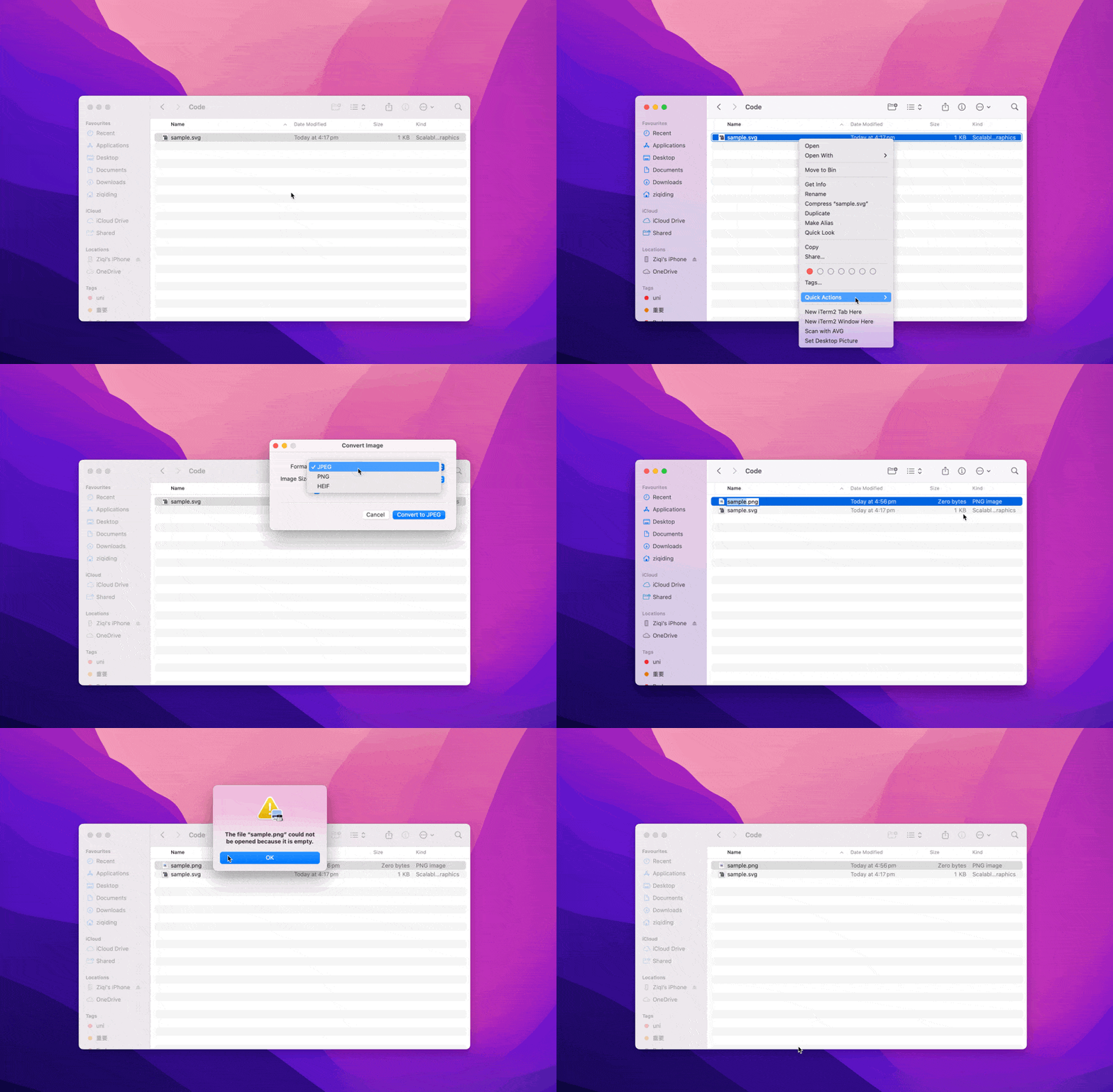
macOS’s built-in Quick Actions for image conversion fail with SVG files. Instead of converting the SVG, it creates an empty PNG file - not exactly helpful.
The Solution#
The best tool for this job is librsvg, an open-source library for rendering SVG files. It comes with rsvg-convert, a command-line tool that handles SVG to PNG conversion beautifully.
What makes it great:
- Fast and reliable - Written in Rust for performance and memory safety
- Handles complex SVGs - Full support for gradients, filters, text, and transformations
- Simple to use - Just one command for basic conversion
- Flexible output - Control dimensions, DPI, and background colors
Installation#
If you have Homebrew ↗ installed (and you should!), installation is a breeze:
brew install librsvgThat’s it. The tool is now ready to use.
Basic Usage#
Navigate to Your SVG Files#
First, you’ll need to get to your SVG files in Terminal. Check out this quick tip for the fastest way to do this.
Converting Your SVG#
The simplest conversion command:
rsvg-convert icon.svg -o icon.pngThis uses the SVG’s original dimensions. If your SVG doesn’t specify dimensions, it defaults to 96 DPI.
Getting Better Quality#
The default conversion might look pixelated or small. Here’s how to fix that: Key options:
-w/--width- Set width in pixels-h/--height- Set height in pixels-d/--dpi-xand-p/--dpi-y- Resolution (default 96)--keep-aspect-ratio- Prevent distortion-b/--background-color- Add a background color
Practical examples:
## Large, high-quality output
rsvg-convert -h 1024 --keep-aspect-ratio icon.svg -o icon-large.png

## Retina display (2x resolution)
rsvg-convert -d 192 -p 192 icon.svg -o icon@2x.png

## Fixed square with white background
rsvg-convert -w 512 -h 512 --keep-aspect-ratio -b white icon.svg -o icon-square.pngBatch Processing#
Need to convert multiple SVGs? Here’s a simple loop:
for file in *.svg; do
    rsvg-convert -h 1024 --keep-aspect-ratio "$file" -o "${file%.svg}.png"
donePro Tips#
- For app icons: Use specific dimensions like
-w 1024 -h 1024for iOS app icons - For web use: Try
-d 144for crisp images on most screens - Transparent SVGs: Add
-b whiteor any color if you need a background - Check all options: Run
rsvg-convert --helpfor the complete list
Summary#
rsvg-convert is a powerful yet simple tool that solves the SVG to PNG conversion problem on macOS. It’s fast, reliable, and gives you full control over the output quality. No more empty PNG files from Quick Actions!