Move your MacOS notification position
Use PingPlace to reposition macOS notifications from the top-right corner to anywhere on screen
What It Does#
PingPlace is a lightweight macOS menu bar app that lets you move your notification banners to any corner of the screen. By default, macOS locks notifications to the top-right — PingPlace removes that restriction.
Why I Chose It#
macOS notifications always appear at the top-right corner. If you have a notch-style MacBook or use the menu bar heavily, notifications can overlap with what you’re doing. There’s no built-in setting to change this, and PingPlace ↗ is the only tool I found that does it cleanly — free, open-source, and no background daemon.
Installation#
brew tap notwadegrimridge/brew
brew install pingplace --no-quarantineBasic Usage#

For the first time launching the app, it asks us to grant accessibility permissions for it to work.
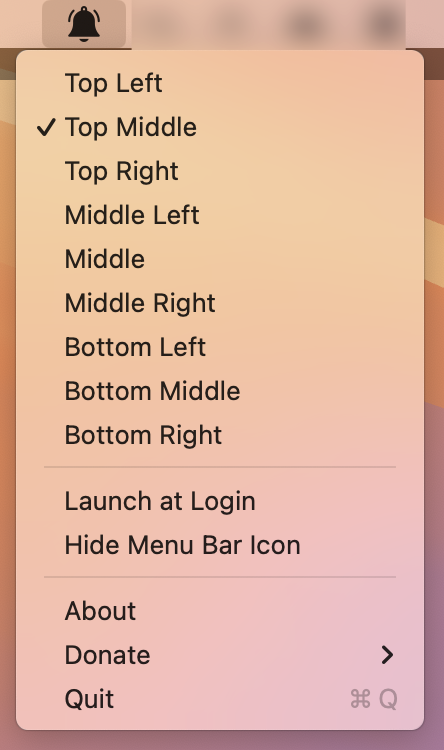
Then we can set notification position from the menu bar menu:
When to Use It#
- Notch-era MacBooks where top-right notifications collide with the camera notch area
- Multi-monitor setups where you want notifications on a specific screen corner
- Screen recordings or presentations where top-right popups are distracting
Summary#
PingPlace is a simple, free tool that solves a long-standing macOS annoyance — letting you move notifications wherever you want.