Automated Alerts for a Finished Wash
Get a spoken alert from Home Assistant when the washing machine finishes, using a smart plug's power reading and a Threshold helper.
Environment#
- OS: Debian GNU/Linux 12 (bookworm)
- Kernel: Linux 6.12.33+deb12-amd64
- Architecture: x86-64
- HA: Home Assistant Container
- Core: 2025.7.4
- Frontend: 20250702.3
Prerequisite#
- Setup Home Assistant
- A smart plug with power monitoring added to HA. Mine is a Zigbee plug added via Zigbee2MQTT, see Setup Zigbee network and Adding a Zigbee device to Zigbee2MQTT and Home Assistant
- A media player in HA to play the alert. I use a USB speaker via MPD, see Use USB Speaker as Audio Output
The Problem#
My washing machine is a basic one with no app and no “cycle finished” beep loud enough to hear from another room. The clothes end up sitting in the drum for hours until someone remembers to check.
The Solution#
The washing machine is plugged into a smart plug that reports power usage. When the machine is running, power stays well above idle; when the cycle finishes, it drops back to almost zero.
A Threshold helper in HA turns that numeric power reading into a simple on/off binary sensor. An automation then watches for the sensor changing from “on” to “off” and plays a TTS message on the living room speaker.
How to Do It#
1. Create a Threshold Sensor#
Go to Settings -> Devices & Services -> Helpers, click ”+ Create Helper” and pick Threshold.
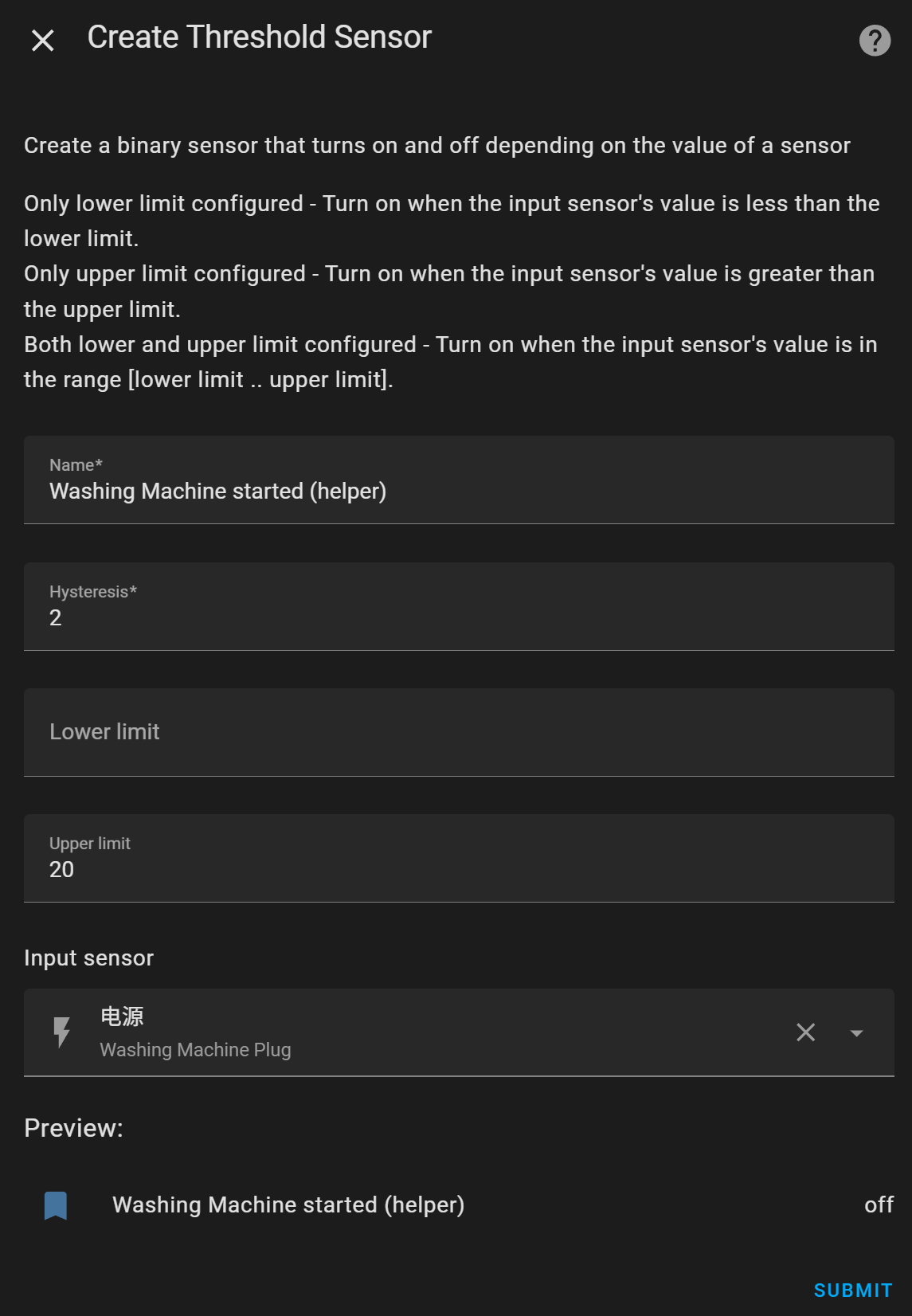
Explanation (from official doc ↗):
- Name — The name the sensor should have. You can change it again later.
- Input sensor — The entity providing numeric readings to apply the threshold on.
- Hysteresis — The distance the observed value must be from the threshold before the state is changed.
- Lower limit — The lower threshold which the observed value is compared against.
- Upper limit — The upper threshold which the observed value is compared against.
Since we want the washing machine to be “on” only when power rises above the threshold, only the upper limit is set. I set it to a low (20W) but not too low value (e.g., 5W) to ensure it’s considered “on” while running but not on idle/standby.
I also set Hysteresis to 2 just in case it fluctuates.
2. Create an Automation to notify when laundry is done#
Go to Settings -> Automations & scenes -> Automations, click “Create Automation” button. Select “+Create new automation”.
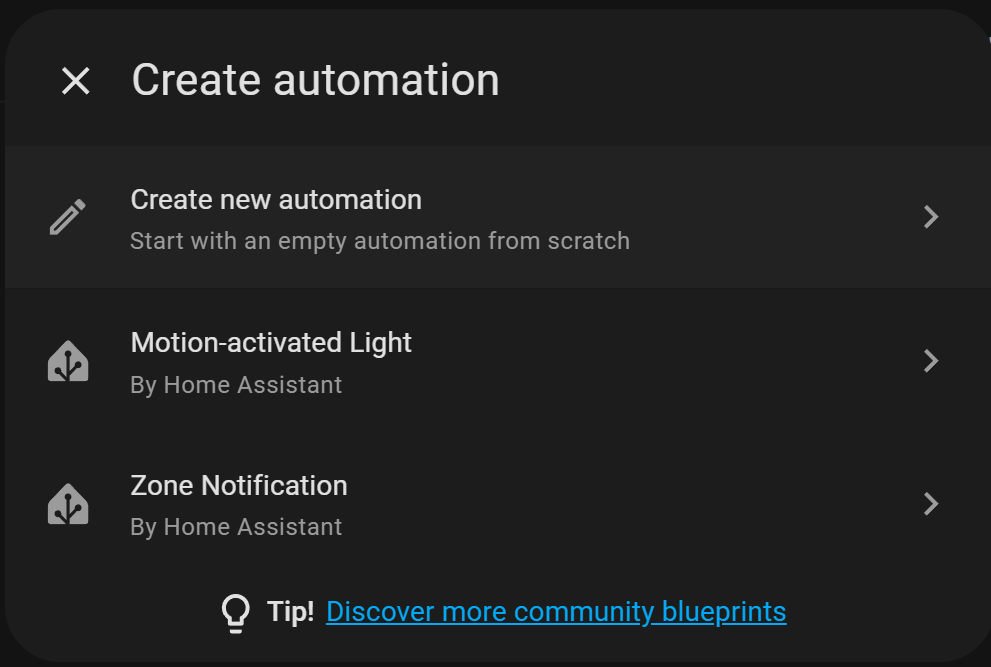
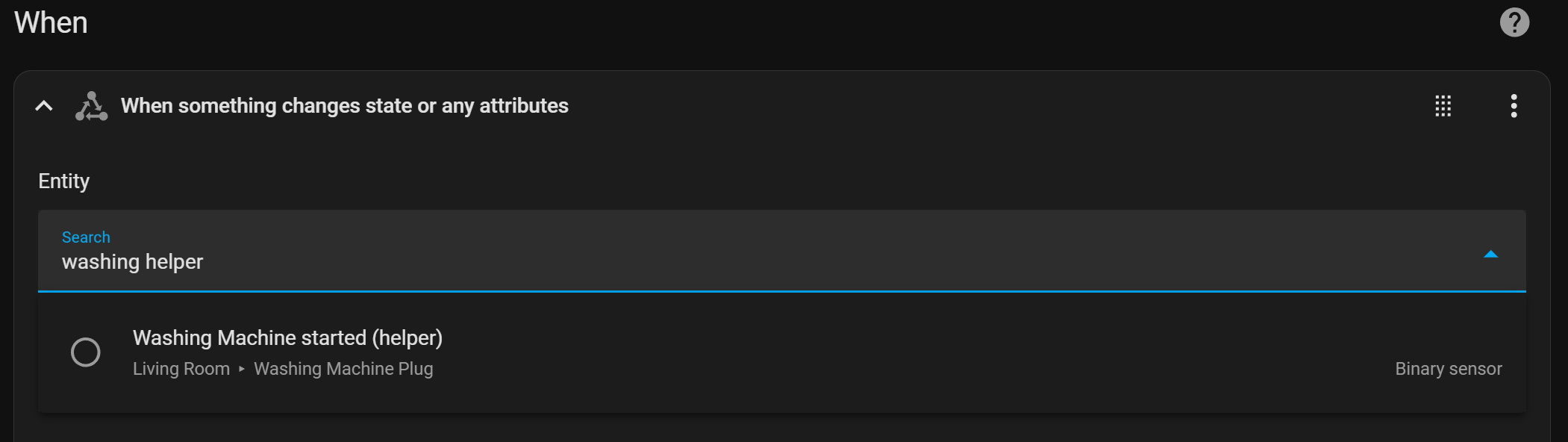
On the new automation page, click “+Add Trigger” -> “Entity” -> “State”. Then select the helper we created as the entity.
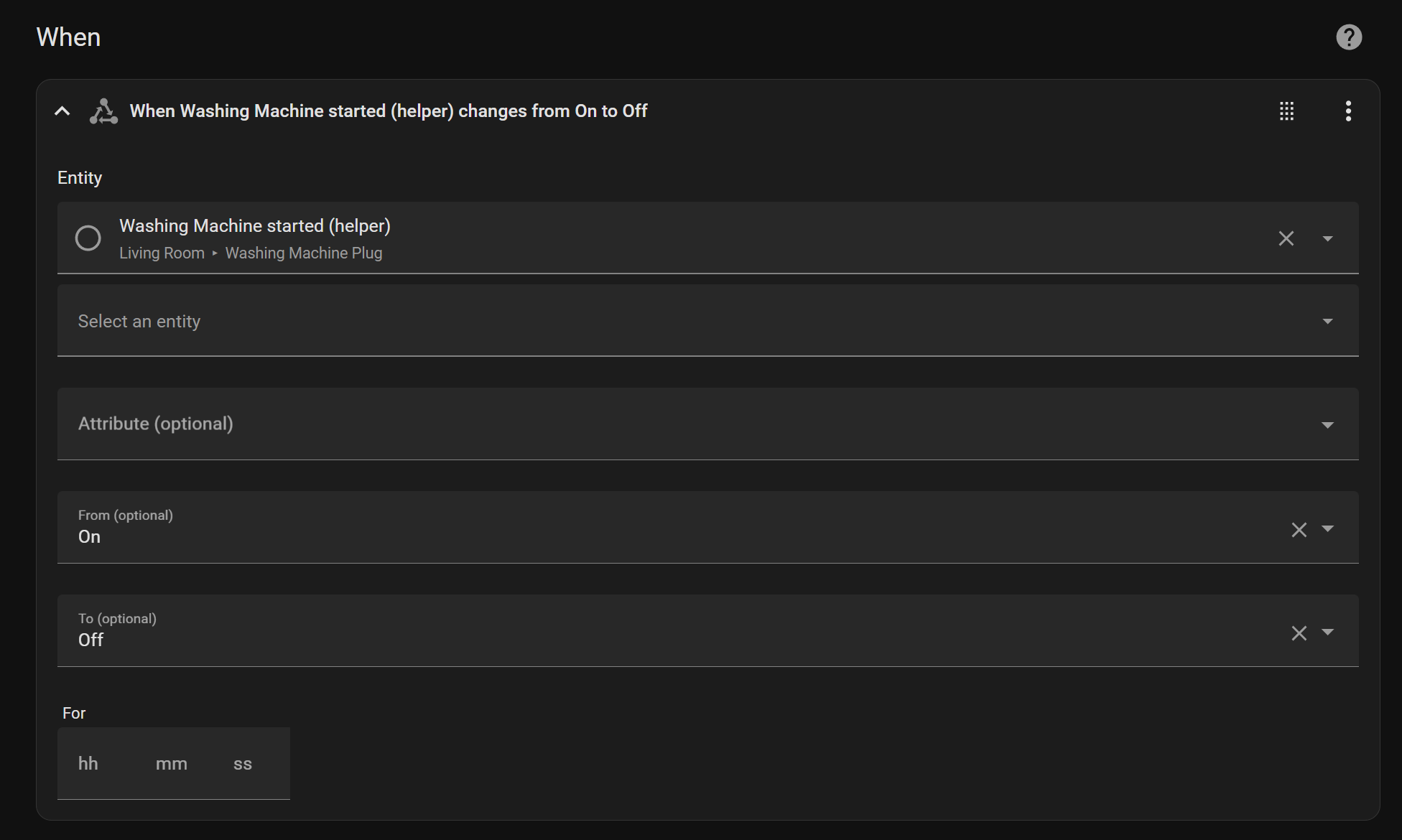
Then we configure the Trigger as below — we want to be notified when the helper state changes from “on” to “off”.
Under “Then do”, click ”+ Add Action”, search for your TTS integration (I use Google Translate TTS) and pick “Say a TTS message”. Select the media player and type the message you want to hear.
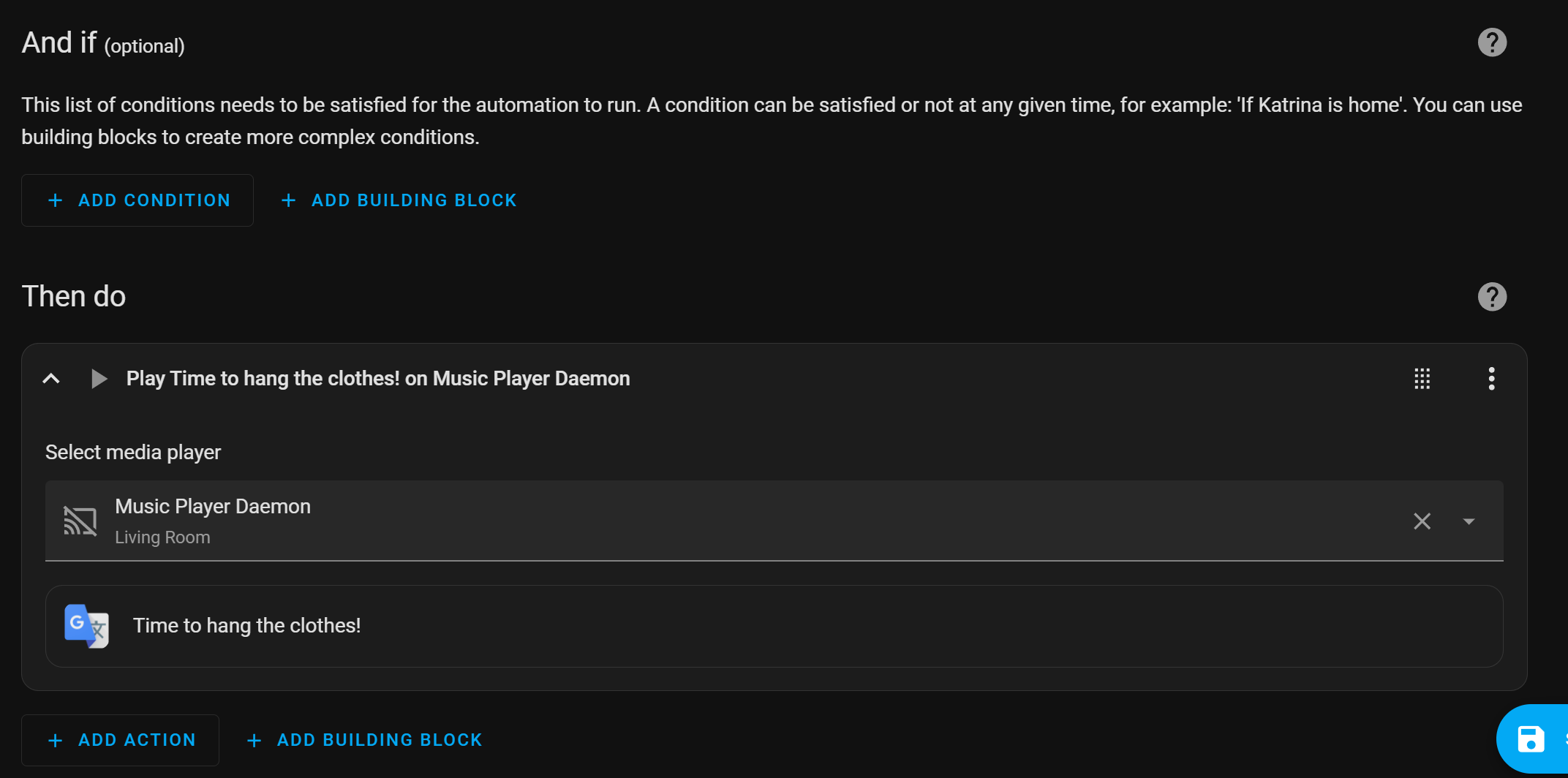
Save the automation with a name and you’re done.
Testing#
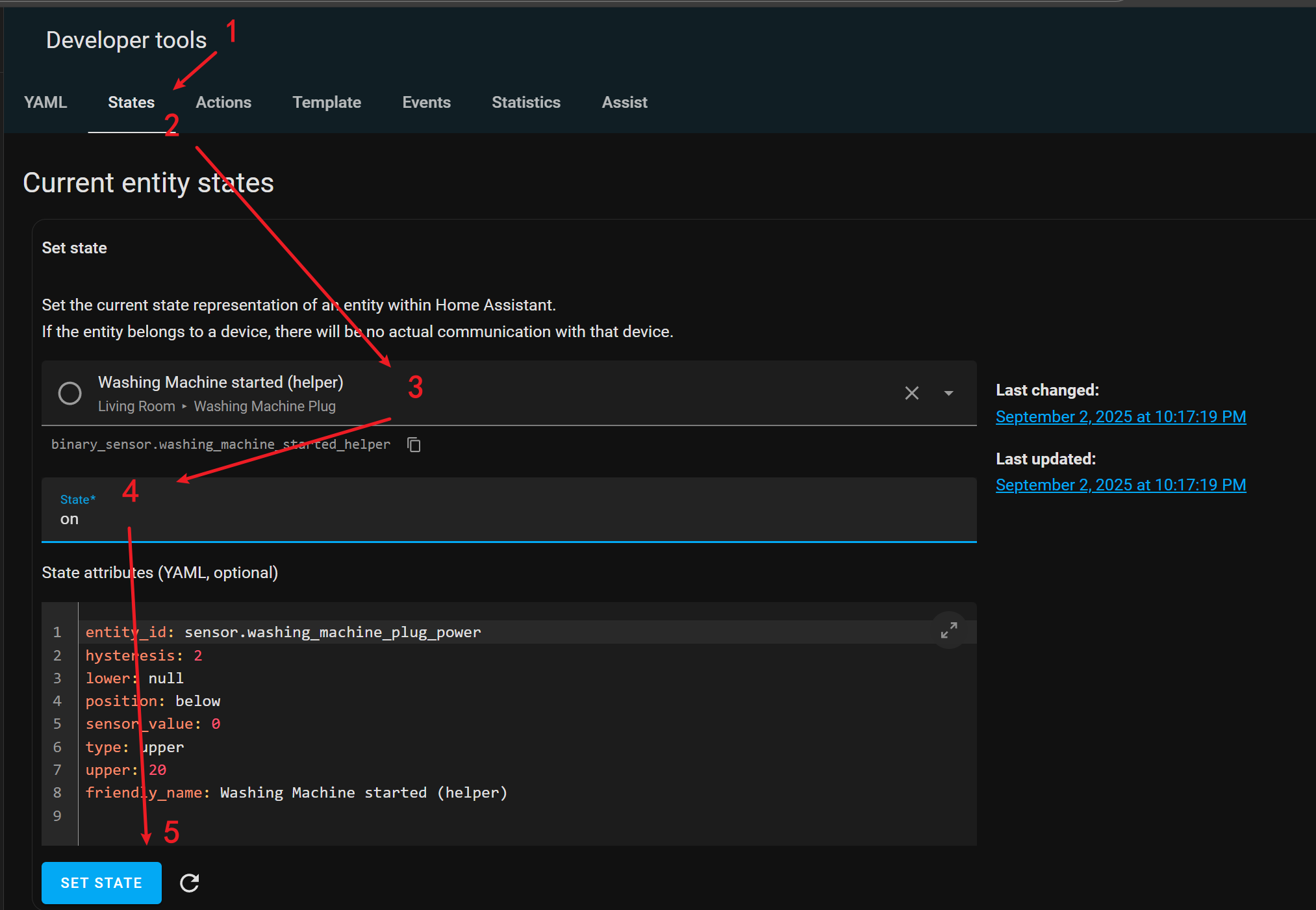
No need to actually run a wash to test this. Go to Developer tools -> States, search for the helper, set its state to on and click “Set State”. Then set it back to off. The automation should fire and the speaker should play the message.
Tips#
- If the alert fires mid-cycle, your machine probably pauses (e.g., between wash and spin) long enough for power to drop below the threshold. Set “For” on the trigger to a couple of minutes so a short dip doesn’t count as “finished”.
- Check the plug’s actual idle and running power in the entity history before choosing the upper limit. Different machines idle at different wattage.
- Not home? Swap the TTS action for a mobile app notification, or add both.
- The same pattern works for a dryer, dishwasher or anything else that draws noticeably more power while running.
Summary#
A smart plug, a Threshold helper and a one-trigger automation turn any dumb washing machine into one that tells you when the clothes are ready to hang.