The Problem#
Sometimes we find that the package version on NPM is not up-to-date as the Github one.
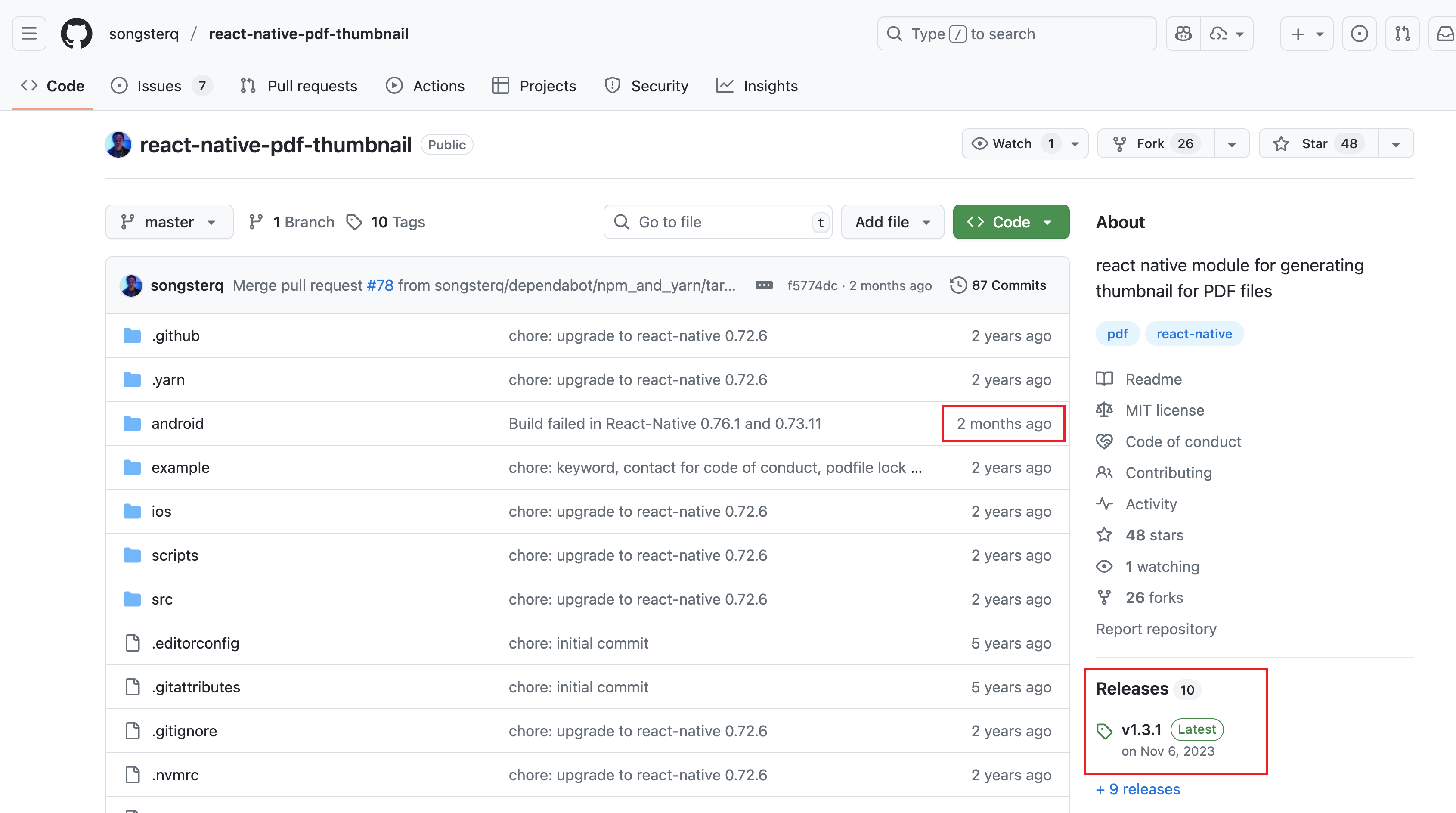
For example, this React Native package: react-native-pdf-thumbnail - npm ↗ on NPM has the latest version 1.3.1, which was updated in 2023.
This package introduced build error on Android SDK 35, specifically a Kotlin issue
Type mismatch: inferred type is Bitmap.Config? but Bitmap.Config was expectedoccurs in this line
val bitmapWhiteBG = Bitmap.createBitmap(bitmap.width, bitmap.height, bitmap.config)where bitmap.config returns nullable in SDK 35, and the fix should be providing a default bitmap.config ?: Bitmap.Config.ARGB_8888.
Interestingly, in the Github repo, the files was updated only 2 months ago, containing the fix, tho the update was not released due to lack of maintenance.
The Solution#
So instead of specifying a version number in package.json, we can point the resources to a git commit from a public repo.
How to Do It#
For example, after confirming that the latest commit in react-native-pdf-thumbnail contains the fix, we can update package.json as follows:
-"react-native-pdf-thumbnail": "^1.3.1",
+"react-native-pdf-thumbnail": "songsterq/react-native-pdf-thumbnail#<tag-or-commit>"Example#
Here are a few way we can specify the release or commit we want. For example:
// Point to a Github tag/release
"react-native-pdf-thumbnail": "git:songsterq/react-native-pdf-thumbnail#v1.3.2"

// Point to a commit
"react-native-pdf-thumbnail": "songsterq/react-native-pdf-thumbnail#f5774dc2",

// Point to a commit using full git url
"react-native-pdf-thumbnail": "git+https://github.com/applickable/react-native-boundary.git#f5774dc2",

// Use the latest commit in a branch
"react-native-pdf-thumbnail": "songsterq/react-native-pdf-thumbnail#master"Note: Usually the latest commit might contain some unstable features that could introduce new bugs or instabilities. Targeting the specific fix commit is more precise and safer for production apps.
Summary#
When an NPM package is outdated but the fix already exists on GitHub, point your dependency to a specific commit or tag instead of waiting for a new release.