Context#
- Environment:
- React Native 0.76.8
- Xcode 16.4
- What I was doing:
- Built and run RN app on Xcode, but running Metro on terminal
The Error#
RN app does not hot load, pressing r in Metro session will display no apps connected error, no matter running on emulator or physical device.
...
debug Key pressed: r
info Reloading connected app(s)...
warn No apps connected. Sending "reload" to all React Native apps failed. Make sure your app is running in the simulator or on a phone connected via USB.Updates in code not reflected in the running app until rebuild and rerun the app.
Root Cause#
The app is not in debug mode. For example, the “Build Configuration” in XCode was set to Release
The Fix#
- Go into Xcode, open your project
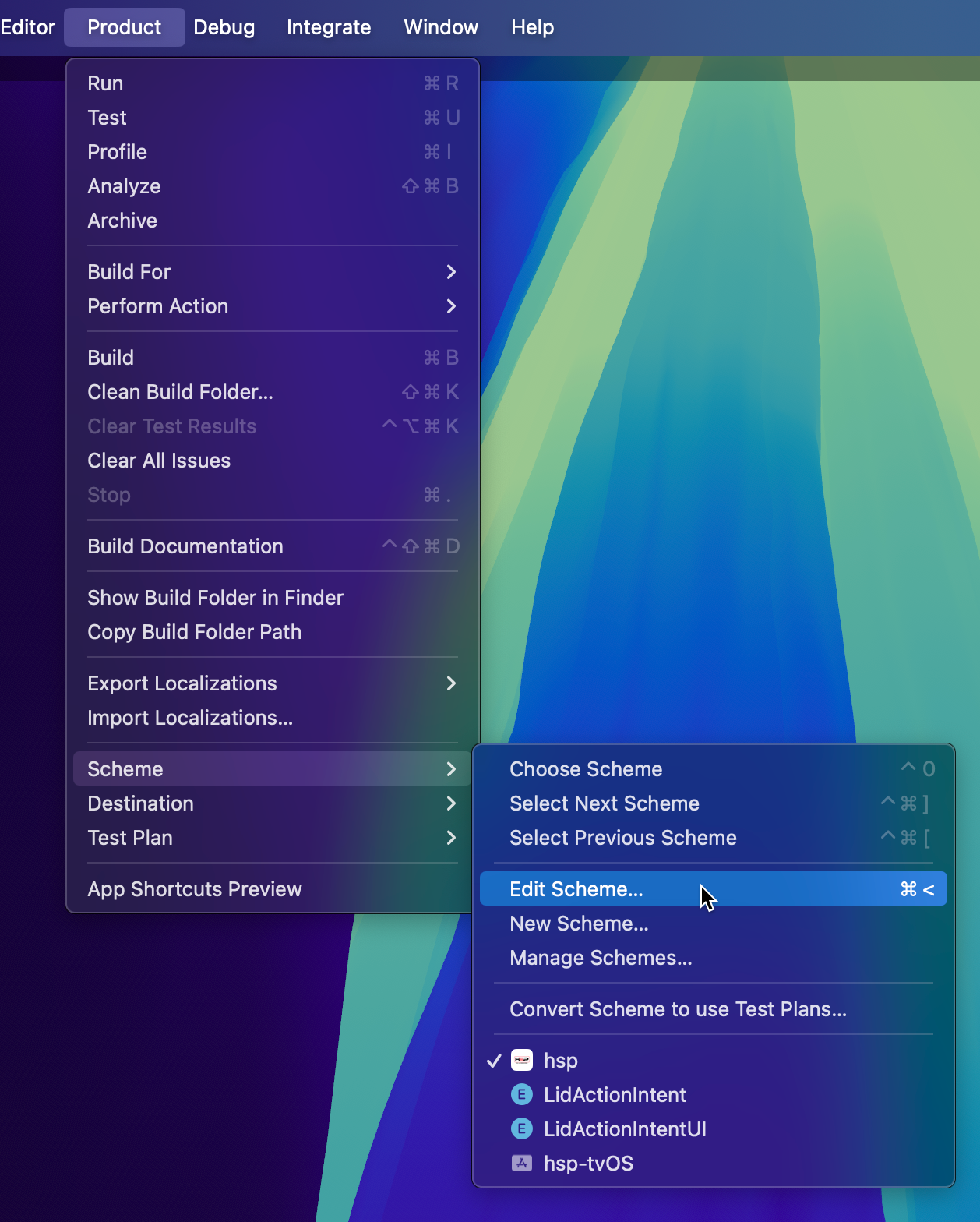
- Press [⌘]+[⇧]+[,], or go from menu Product -> Scheme -> Edit Scheme
- Make sure in the new window that Run is selected
- Ensure the
Build Configurationis set toDebug(could be set to Release and that’s why it’s not working)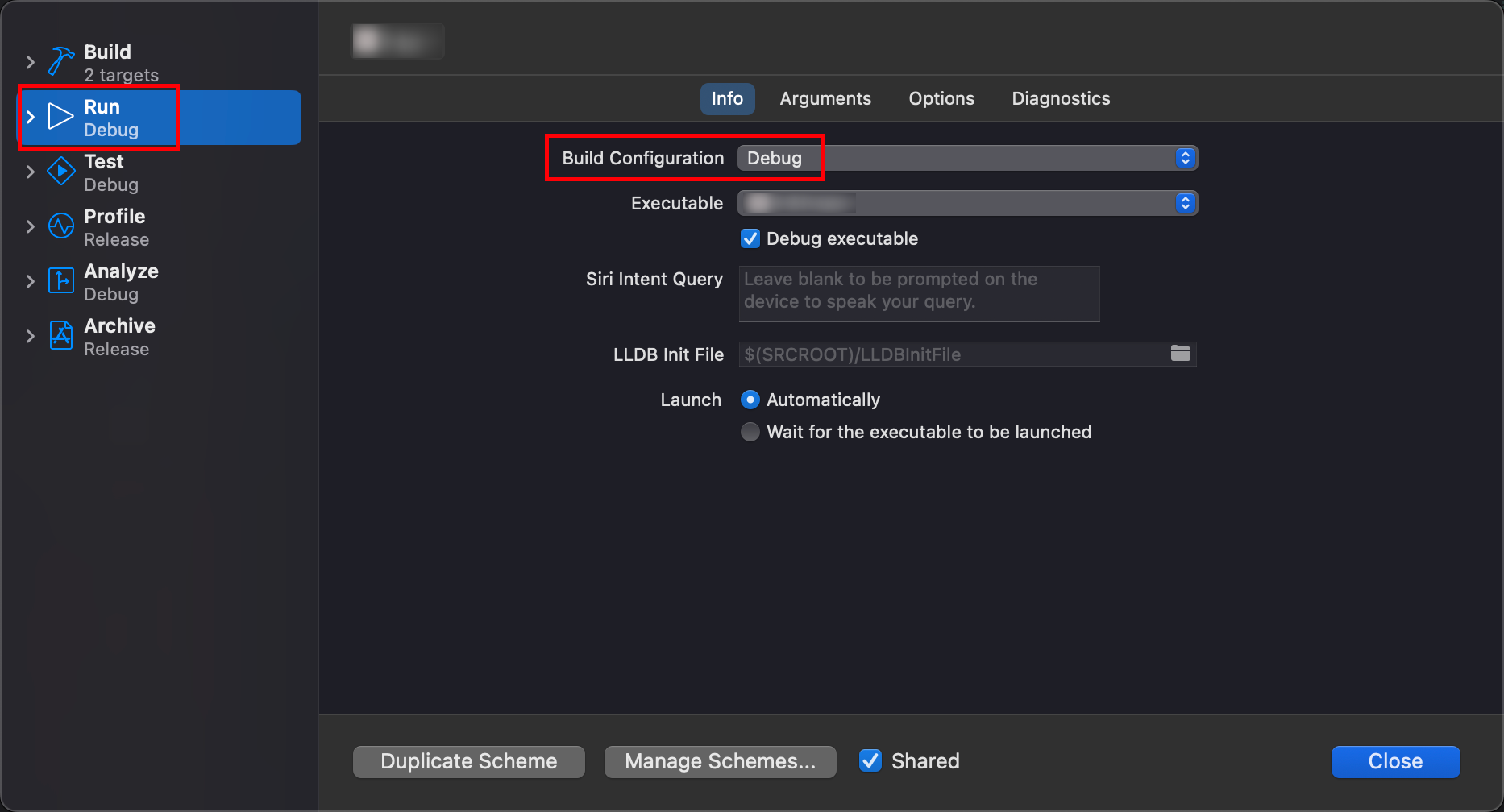
- Click Close
- Press [⌘]+[⇧]+[k] to do a full clean of the build folder
- Try running it on device again.