How My GitHub Copilot Setup Evolved - From Plain Chat to Instructions, Modes and Prompt Files
The four stages my team went through with GitHub Copilot: plain chat, custom instructions, custom chat modes, and prompt files, and what each one fixed.
The Situation#
AI-assisted development tools have become part of everyday coding. But how much they actually help depends on the codebase, how specific the task is, and above all how much context the model has about what you’re doing.
Over a few months my team’s use of GitHub Copilot went through four distinct stages. Each one fixed a problem the previous one created. This post is the overview; the two bigger lessons have their own posts.
What I Learned#
- An LLM is an excellent executor but bad at planning on its own (at least right now). Give it the plan, or make it write one and approve it first.
- Output quality tracks context and specificity. Vague ask, vague answer.
- Different models have different strengths. Pick per task, not per habit.
Stage 1: Just ask#
We attached a couple of files and talked to Copilot like a colleague.
It works for small, self-contained questions. It falls apart as soon as the answer depends on project conventions the model can’t see.
Stage 2: Ask with custom instructions#
Copilot reads .github/copilot-instructions.md on every request, so we used it to describe the project, coding style and the rules we wanted followed.
.github
└── copilot-instructions.mdThis was the single biggest quality jump. Suggestions started matching our patterns instead of generic ones.
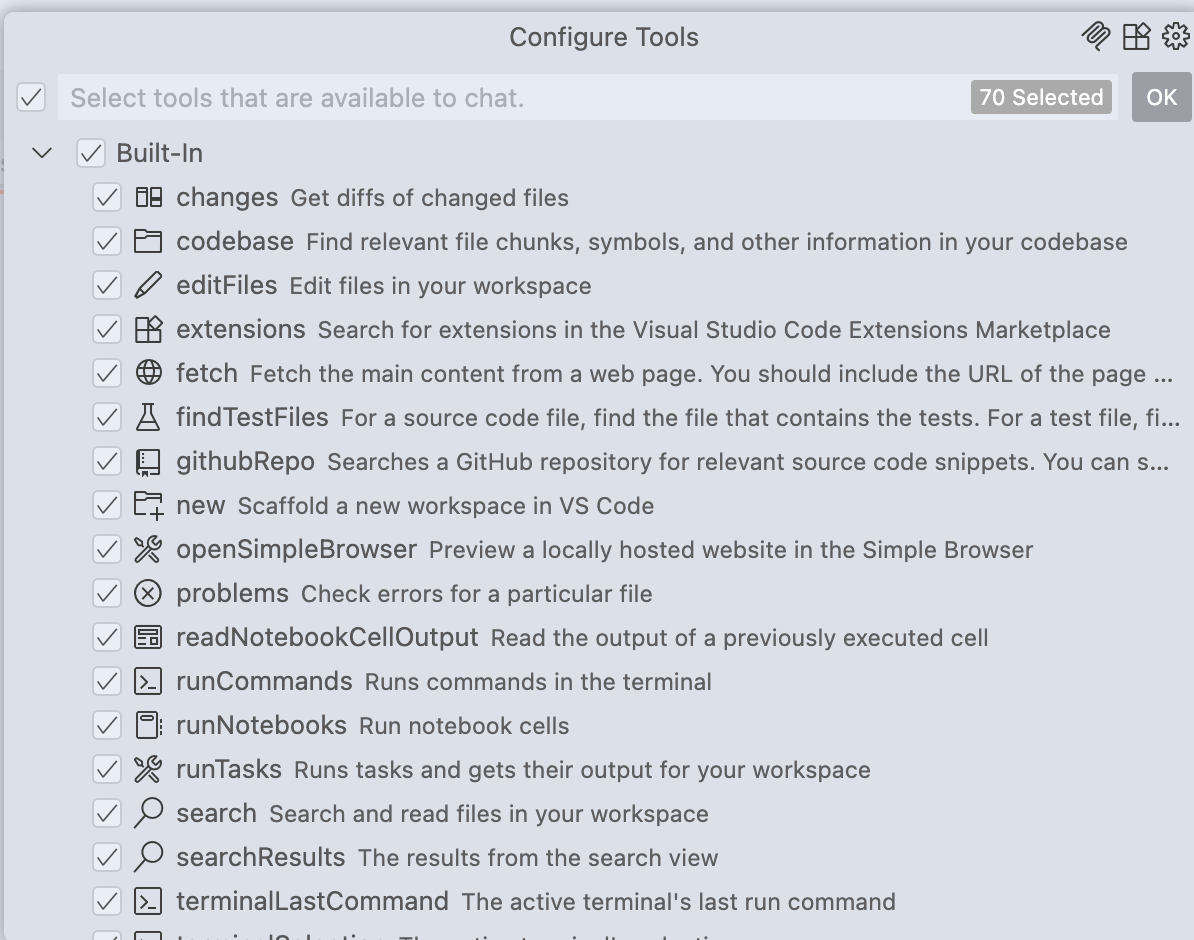
Around the same time we moved to agent mode. The agent gets tools: search the codebase, run commands, edit files, and connect to MCP servers for external resources. It can chain small steps on its own to reach the goal.

Stage 3: Custom chat modes#
We didn’t always want the agent to have every tool. Some workflows should be read-only; some should never touch the network. Limiting tools keeps the agent focused and reduces the blast radius when it misunderstands.
Custom chat modes solve that: a mode bundles a system prompt with a fixed tool list. I wrote up how to build one in GitHub Copilot Custom Chat Modes.
Chat modes shine for regular, medium-sized jobs with a well-defined sequence, like our NPM package upgrade mode.
The limitation: a mode’s prompt and tools apply to the whole conversation. You can’t mix a bug-fix procedure into a general chat without switching modes and losing context.
Stage 4: Prompt files#
We needed something smaller: a reusable prompt we could drop into any conversation, in any mode. That’s what .github/prompts/*.prompt.md files are. Type / in chat and pick one.
.github
├── chatmodes
│   └── package-upgrade.chatmode.md
├── copilot-instructions.md
└── prompts
└── bug-fix.prompt.md # <== hereHow to set them up, with the ones we use, is in GitHub Copilot Prompt Files.
Then the problems started#
With instructions, a chat mode and a prompt file all loaded at once, three things went wrong:
- The context window filled up too fast. Copilot forgot the conversation and stopped following the rules we’d set at the start.
- Instructions contradicted each other. One file said async/await, an old prompt said callbacks, and we got both in the same function.
- The wrong instruction won. Whatever was typed last overrode the project rules, especially on weaker models.
The fix was to split copilot-instructions.md into a small behaviour file and a separate project-context file, and cut both hard. That’s the subject of Why Your Copilot Instructions Stop Working.
How It Changed My Approach#
- Behaviour rules, project facts and task procedures now live in three different files, each short, each cross-referencing the others instead of repeating them.
- Chat modes for repeatable workflows; prompt files for one-off procedures; instructions only for what applies to every request.
- Plan with a strong model, execute with a fast one, and write the plan down before any code changes.
Summary#
Plain chat, then instructions, then chat modes, then prompt files: each stage gave Copilot more context, and the last lesson was that too much context in one place is its own problem.