Tech Stack
Tags
SideTime — Visual Time Awareness for macOS
SideTime turns the day into a quiet visual rail at the edge of a Mac, helping people feel time passing without timers, logging, or interruptions. Day, hour, and work modes pair with optional calendar markers in a native, private, lightweight app.
Project Gallery
Why it Matters#
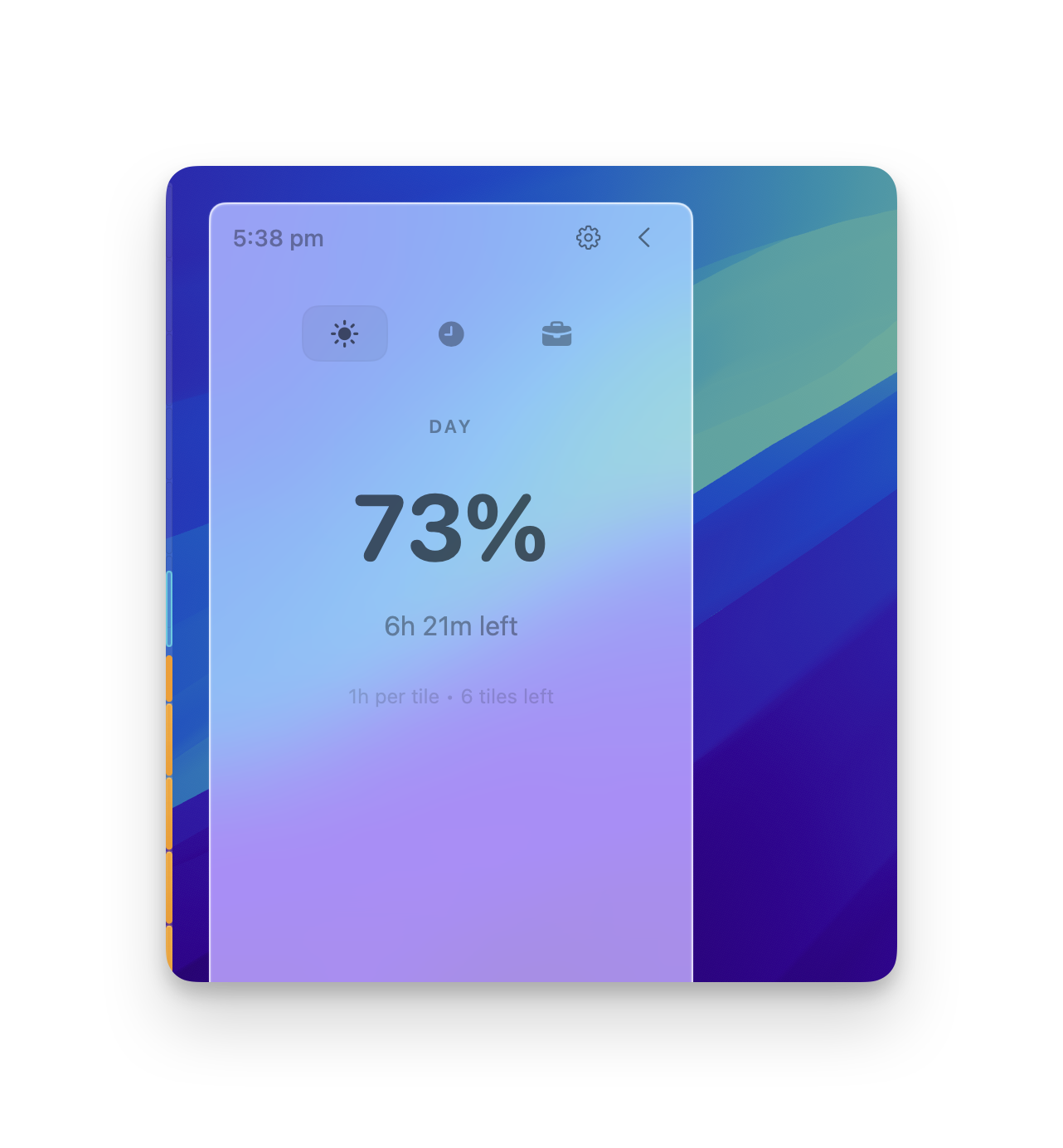
A clock tells you the time, but it does not show the shape of the time remaining. Traditional time trackers add timers, logs, and notifications—more things to manage. SideTime takes a quieter approach: a slim rail stays at the edge of the screen, making progress visible without pulling focus away from the work itself.
Key Highlights#
Ambient Time Awareness#
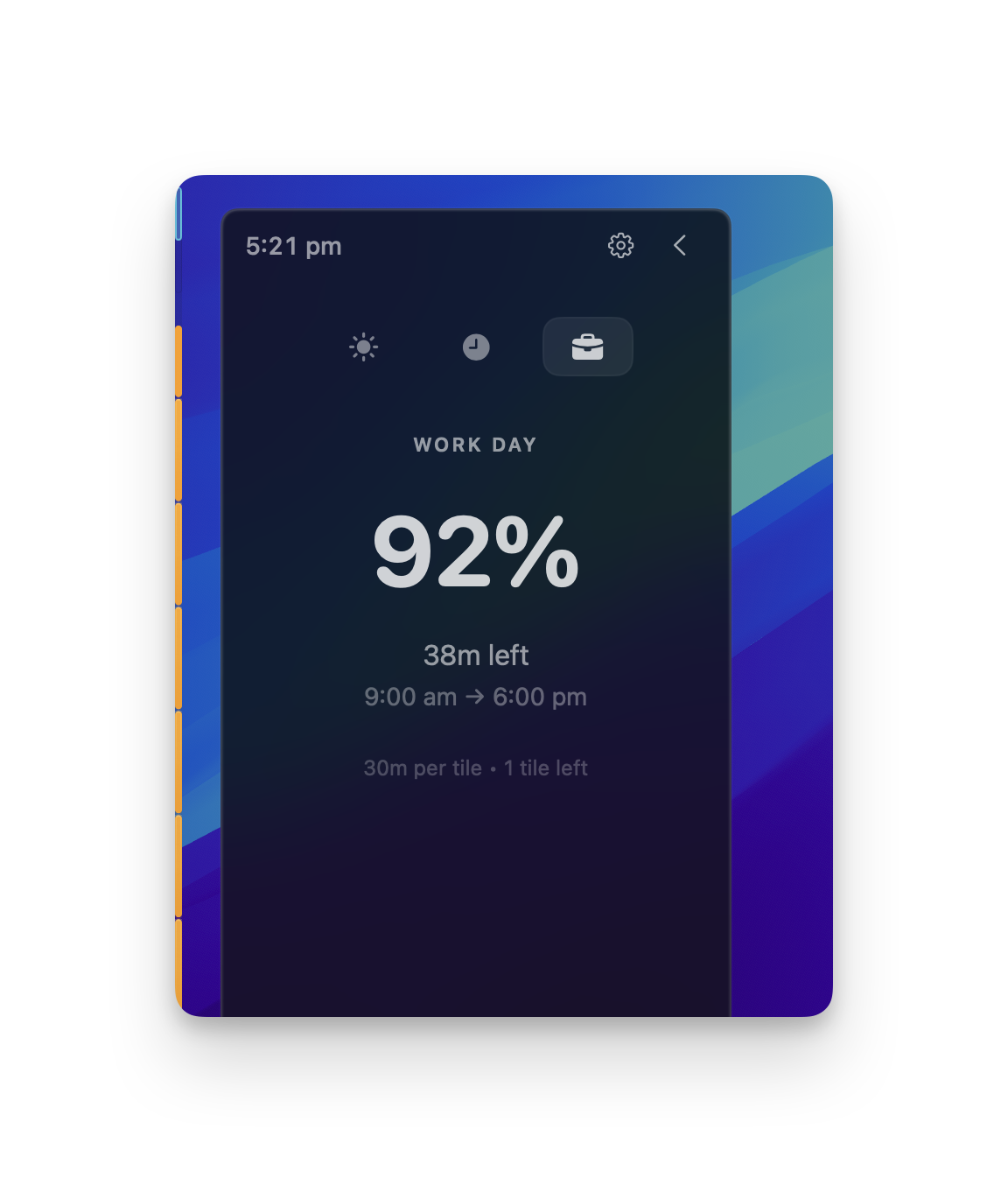
- Switch between day, hour, and workday progress depending on the rhythm that matters now.
- Read elapsed percentage, remaining time, and tile-based intervals from a sliding panel.
- Keep the edge rail on either side of the display and reveal more detail only when needed.
Calendar in Context#
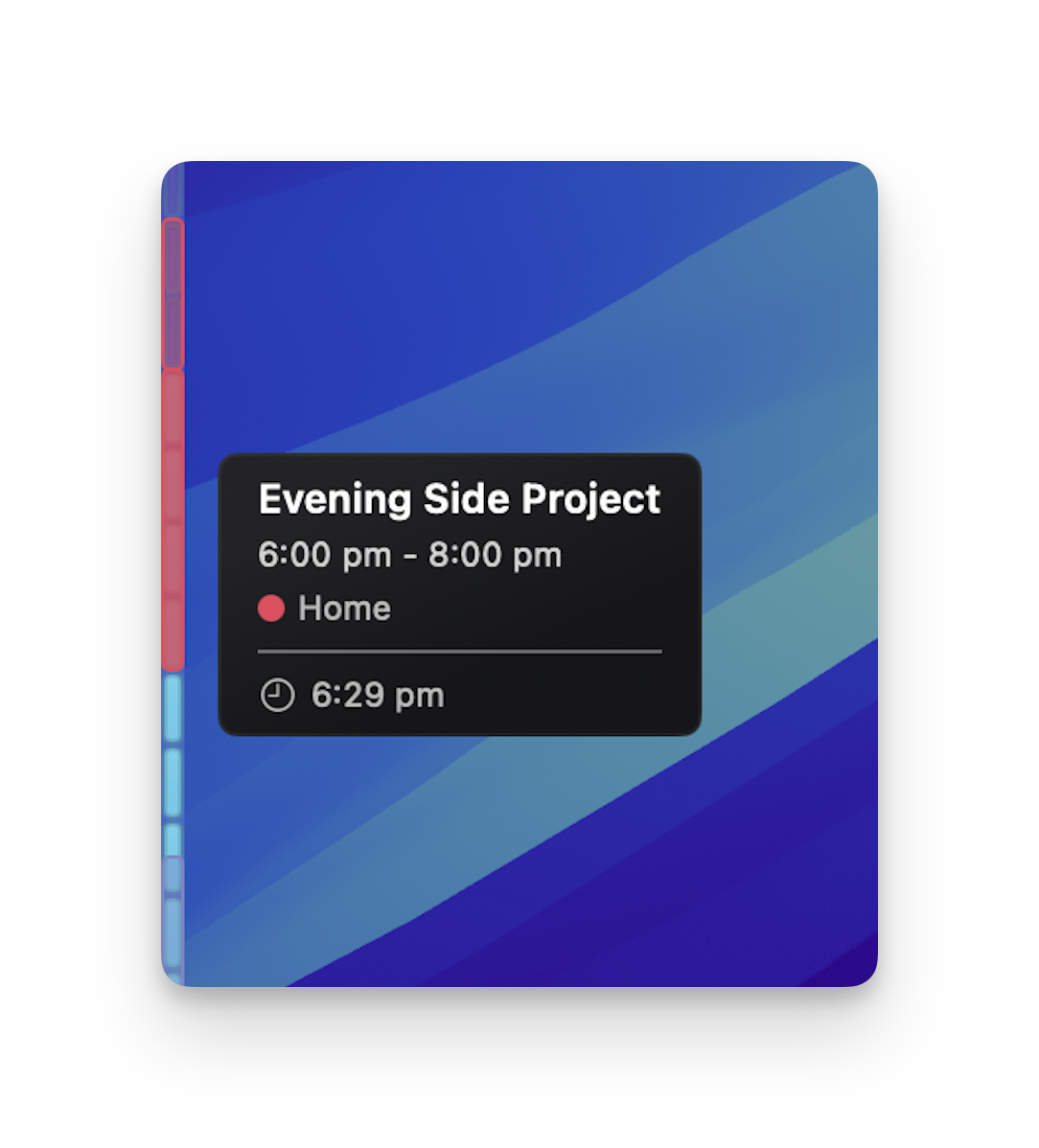
- Place today’s calendar events directly onto the time rail.
- Preview an event and see how far away it is without opening a calendar app.
- Keep calendar access optional, read-only, and entirely local to the Mac.
Native, Personal, and Quiet#
- Customize gradients, solid colors, tile themes, rail width, visibility, and panel behaviour.
- Run without an account, analytics, or personal-data collection.
- Receive signed in-app updates through Sparkle while the app remains a lightweight native macOS utility.
Built with AI-Assisted Development#
SideTime progressed from an idea to a signed and notarized macOS release, with automatic updates and a repeatable release workflow.
AI-assisted workflows supported planning, implementation, debugging, and release engineering. They shortened the feedback loop when working through SwiftUI/AppKit integration, accessibility, performance, and macOS distribution requirements. Product decisions and release validation remained grounded in testing, profiling, manual review, and real application use.
Technical Foundation#
- UI: SwiftUI views integrated with AppKit window, panel, status-bar, and lifecycle management.
- Time engine: Coordinated timers and position calculations that update the rail without unnecessary work.
- Calendar: EventKit for optional local calendar access and event placement.
- Distribution: Developer ID signing, notarization, GitHub Releases, and Sparkle appcast updates.
- Quality: Unit tests, SwiftLint/SwiftFormat conventions, memory monitoring, accessibility support, and automated release scripts.